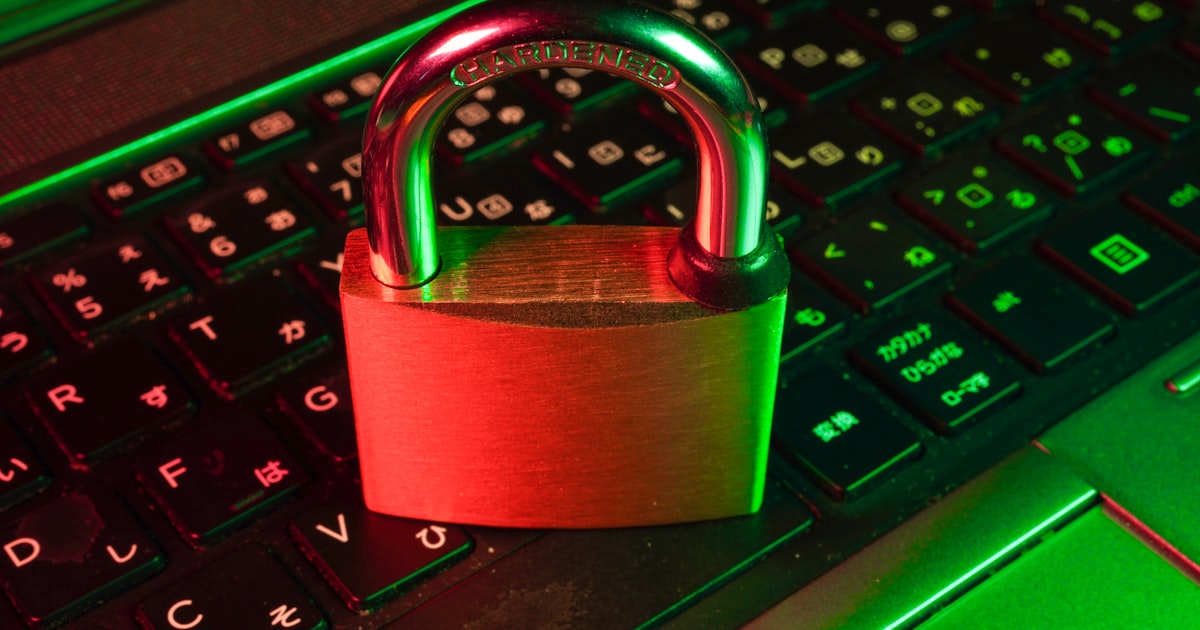
Best Password Generators (2026): 10 Secure Tools Compared
Passwords are the first line of defense for your online accounts. Whether you're logging into your email, bank account, cloud storage, or social media, a strong password helps protect your personal information from cybercriminals.
Unfortunately, many people still rely on weak passwords like 123456, password, or their names and birthdays. These passwords are easy to remember—but they're also easy for attackers to guess or crack using automated tools.
As more of our lives move online, using strong and unique passwords has become more important than ever. The challenge is that creating a secure password manually isn't easy. A password should be long, random, and difficult to predict while also being different for every account you own.
That's where password generators come in.
A password generator creates random, highly secure passwords in seconds. Many also allow you to customize the password length and choose whether to include uppercase letters, lowercase letters, numbers, and special characters.
In this guide, we'll explain how password generators work, why they're important, what features to look for, and compare some of the best password generators available today. You'll also learn security best practices that help keep your online accounts safe.
What Is a Password Generator?
A password generator is a tool that automatically creates random passwords designed to be difficult for humans and computers to guess.
Unlike passwords people often create themselves, randomly generated passwords avoid predictable patterns such as:
Instead, a password generator produces combinations of characters that have little or no recognizable pattern.
For example:
❌ Weak Password
``
john123
`
❌ Better, but Still Weak
`
John2026!
`
✅ Strong Password
`
R7@vLp9#XmQ4!Za8
`
Because these passwords are random, they are much harder for attackers to crack using automated guessing techniques.
Why Strong Passwords Matter
Every online account contains valuable information.
Even if you think an account isn't important, attackers may use it to access other services connected to your email or phone number.
Strong passwords reduce this risk significantly.
Protect Personal Information
Many online accounts contain sensitive information such as:
A compromised password can expose all of this information.
Prevent Identity Theft
Cybercriminals often use stolen account credentials to impersonate victims.
This may include:
- •Sending fraudulent emails
- •Accessing financial accounts
Using unique passwords helps reduce this risk.
Reduce Credential Stuffing Attacks
Many people reuse the same password across multiple websites.
If one website experiences a data breach, attackers often test the same username and password on hundreds of other websites.
This attack is known as credential stuffing.
Using a different password for every account prevents one breach from compromising multiple services.
Protect Business Accounts
Businesses store valuable information including:
Strong passwords are a basic but essential part of organizational cybersecurity.
Meet Security Requirements
Many workplaces, schools, and online services require passwords that include:
- •Minimum length requirements
Password generators make it easy to satisfy these requirements.
How Password Generators Work
Although password generators seem simple, they rely on randomness to create secure passwords.
Most generators follow a process similar to this:
Step 1: Select Character Types
Users choose which characters should be included.
Options typically include:
Some tools also let you exclude similar-looking characters like:
This improves readability without significantly reducing security.
Step 2: Choose Password Length
Longer passwords are generally stronger.
Common options include:
Security experts generally recommend using passwords that are at least 12 to 16 characters long for most accounts.
Step 3: Generate Random Characters
The generator selects random characters based on your chosen settings.
Instead of creating predictable patterns, it mixes letters, numbers, and symbols in unpredictable ways.
Example:
`
Y6@wLm$8qP2!tRv9
`
Step 4: Copy the Password
After generation, users can copy the password and use it when creating or updating an account.
Many password generators include a one-click copy button for convenience.
What Makes a Good Password Generator?
Not all password generators offer the same features. When comparing tools, consider the following factors.
Strong Randomness
A good password generator should produce passwords that are difficult to predict.
Avoid tools that create passwords using obvious patterns or repeated sequences.
Customizable Length
Different websites have different password requirements.
A good generator lets you choose the password length instead of forcing a fixed number of characters.
Character Controls
Useful options include:
- •Include uppercase letters
- •Include lowercase letters
- •Exclude similar characters
These settings allow passwords to meet specific website requirements.
Browser-Based Convenience
Online password generators work directly in your browser.
Advantages include:
Privacy
A trustworthy password generator should generate passwords locally in your browser whenever possible.
This minimizes the need to transmit generated passwords over the internet.
Always review the provider's privacy policy if you're concerned about how generated passwords are handled.
Simple Interface
Generating a password should take only a few seconds.
The best tools provide:
Best Password Generators
The following tools are widely used for generating strong passwords. Each offers different features depending on your needs.
1. Lanthaac Tools Password Generator ⭐ (Best Overall)
If you need a fast, free, and easy-to-use password generator, the Password Generator on Lanthaac Tools is an excellent choice.
Key Features
- •No registration required
- •Works on desktop and mobile
Best For
Because it runs directly in your browser, you can create strong passwords within seconds without installing any software.
2. Bitwarden Password Generator
Bitwarden includes a password generator as part of its password management platform.
Key Features
- •Adjustable password length
- •Password manager integration
Best For
Users who already store passwords inside a password manager.
3. 1Password Password Generator
1Password provides a secure password generator integrated into its password management ecosystem.
Key Features
Best For
Individuals and businesses already using 1Password.
4. Dashlane Password Generator
Dashlane offers a browser-based password generator alongside its password manager.
Key Features
- •Password strength recommendations
Best For
Users looking for both password generation and password management.
5. NordPass Password Generator
NordPass provides an easy-to-use online password generator developed by the team behind Nord Security.
Key Features
- •Random password generation
- •Password manager integration
Best For
Users seeking a simple interface with additional password management features.
6. LastPass Password Generator
LastPass includes a password generator that allows users to create secure passwords before saving them to a password vault.
Key Features
- •Adjustable password length
- •Uppercase and lowercase options
- •Password manager integration
Best For
People who already use LastPass to manage their passwords across multiple devices.
7. Avast Random Password Generator
Avast offers a free online password generator designed for quick password creation.
Key Features
- •Adjustable password length
- •Include or exclude symbols
- •No installation required
Best For
Users who need to generate secure passwords without creating an account.
8. Norton Password Generator
Known for its cybersecurity software, Norton also provides a free password generator.
Key Features
- •Random character generation
- •Mobile-friendly interface
Best For
People looking for a trusted security brand with a straightforward password generator.
9. RoboForm Password Generator
RoboForm's password generator is part of its password management platform but is also available online.
Key Features
- •Configurable password rules
- •Password manager integration
Best For
Users who want advanced password customization options.
10. KeePass Password Generator
KeePass is an open-source password manager that includes a powerful built-in password generator.
Key Features
- •Offline password generation
- •Advanced security settings
Best For
Technical users who prefer offline password management.
Real Examples
Password generators are useful in many everyday situations.
Example 1: Creating a New Email Account
Sarah signs up for a new email account.
Instead of using:
`
Sarah123
`
she generates:
`
M8#kP2!vQx7@Wr4L
``
The random password is significantly harder to guess and better protects her account.
Example 2: Online Banking
A customer updates the password for their online banking account.
Using a password generator, they create a unique 20-character password and store it in a trusted password manager.
This greatly reduces the risk of unauthorized access.
Example 3: Business Team Accounts
A small company creates separate passwords for:
- •Customer management systems
Using randomly generated passwords helps improve overall business security.
Example 4: Developer Accounts
A software developer creates accounts for:
Each account receives a unique generated password, preventing one compromised account from affecting others.
Example 5: Social Media
Instead of reusing the same password across Facebook, Instagram, TikTok, and X, a content creator generates a unique password for every platform.
If one account is compromised, the others remain protected.
Example 6: Family Password Management
Parents use a password manager together with a password generator to create unique passwords for streaming services, online shopping, and shared family accounts.
Practical Use Cases
Password generators are valuable in both personal and professional environments.
Personal Accounts
Protect:
Business Security
Generate passwords for:
Website Administration
Developers and website owners often create strong passwords for:
Online Learning
Students can secure:
- •Learning management systems
Remote Work
Employees working remotely often access:
- •Project management tools
- •Video conferencing platforms
Strong passwords help secure these services.
Shared Team Accounts
Organizations sometimes maintain shared accounts for:
Generated passwords improve overall account security.
Benefits of Using a Password Generator
Using a password generator provides several important advantages.
Creates Strong Passwords
Random passwords are much harder to guess than passwords created manually.
Saves Time
Instead of thinking of new passwords, you can generate one instantly.
Reduces Password Reuse
Using a different password for every account greatly improves security.
Meets Website Requirements
Many websites require passwords containing:
Password generators automatically satisfy these rules.
Improves Cybersecurity
Strong passwords reduce the likelihood of:
Supports Password Managers
Generated passwords work perfectly with password managers, allowing you to use complex passwords without needing to memorize them.
Common Mistakes
Even when using a password generator, users sometimes make avoidable mistakes.
Reusing Passwords
Using one password for multiple accounts increases your risk.
If one account is compromised, attackers may gain access to several others.
Always generate a unique password for every account.
Choosing Passwords That Are Too Short
An 8-character password is stronger than many common passwords, but longer passwords generally provide better protection.
Whenever possible, use at least 12–16 characters.
Ignoring Multi-Factor Authentication (MFA)
A strong password is important, but enabling MFA adds another layer of security.
Whenever available, activate two-factor or multi-factor authentication.
Saving Passwords in Plain Text
Avoid storing passwords in:
- •Unencrypted spreadsheets
Instead, use a reputable password manager.
Sharing Passwords Insecurely
Never send passwords through unsecured messaging platforms or email unless absolutely necessary and protected by appropriate safeguards.
Forgetting to Update Important Passwords
If you suspect an account has been compromised or learn of a data breach affecting a service you use, change your password immediately.
Best Practices
Following these recommendations helps maximize your online security.
Use Long Passwords
Choose passwords that are at least:
Longer passwords generally provide stronger protection.
Create Unique Passwords
Every online account should have its own password.
Never reuse passwords between:
Enable Multi-Factor Authentication
Whenever possible, enable MFA for:
Use a Trusted Password Manager
Password managers securely store complex passwords so you don't have to memorize them all.
Monitor Security Alerts
Many online services notify users about suspicious login attempts or known data breaches.
Pay attention to these alerts and change affected passwords promptly.
Build a Complete Security Workflow
Password generation is only one part of protecting your online accounts.
You can combine several free tools from
Lanthaac Tools for better digital security:
- Create secure passwords using the Password Generator.
- Verify and format API data with the JSON Formatter.
- Safely encode URLs using the URL Encoder.
- Convert data using the Base64 Encoder when appropriate for development workflows.
- Generate secure sharing links with the QR Code Generator.
- Organize important documents using the PDF Merger.
Using these tools together can simplify your workflow while improving productivity and security.
Comparison Table
Choosing the right password generator depends on your needs. Some tools focus on quick password creation, while others are built into full password managers with additional security features.
| Password Generator | Free Version | Custom Length | Symbols | Passphrase Support | Password Manager | Best For |
| ------------------- | -------------- | --------------- | --------- | -------------------- | ------------------ | ---------- |
| Lanthaac Tools Password Generator | ✅ Yes | ✅ Yes | ✅ Yes | ❌ No | ❌ No | Fast online password generation |
| Bitwarden | ✅ Yes | ✅ Yes | ✅ Yes | ✅ Yes | ✅ Yes | Personal & business use |
| 1Password | Trial | ✅ Yes | ✅ Yes | ✅ Yes | ✅ Yes | Premium password management |
| Dashlane | ✅ Limited | ✅ Yes | ✅ Yes | ❌ No | ✅ Yes | Everyday users |
| NordPass | ✅ Limited | ✅ Yes | ✅ Yes | ✅ Yes | ✅ Yes | Security-focused users |
| LastPass | ✅ Limited | ✅ Yes | ✅ Yes | ❌ No | ✅ Yes | Multi-device password storage |
| Avast | ✅ Yes | ✅ Yes | ✅ Yes | ❌ No | ❌ No | Quick online password creation |
| Norton | ✅ Yes | ✅ Yes | ✅ Yes | ❌ No | ❌ No | Basic password generation |
| RoboForm | ✅ Yes | ✅ Yes | ✅ Yes | ❌ No | ✅ Yes | Advanced customization |
| KeePass | ✅ Yes | ✅ Yes | ✅ Yes | Limited | ✅ Yes | Offline and technical users |
For users who simply need a secure password in seconds without creating an account,
Lanthaac Tools Password Generator offers one of the easiest browser-based solutions.
Statistics and Industry Trends
Password security continues to be one of the biggest challenges in cybersecurity.
Widely accepted industry trends include:
- •Weak or reused passwords remain a common factor in many account compromise incidents.
- •More websites now require passwords that include a mix of uppercase letters, lowercase letters, numbers, and symbols.
- •Multi-factor authentication (MFA) is becoming a standard security feature across banking, email, and business platforms.
- •Password managers have become increasingly popular because they allow users to store unique passwords securely.
- •Many organizations now encourage employees to use randomly generated passwords instead of creating their own.
Although security practices continue to evolve, cybersecurity experts consistently recommend using
long, unique, randomly generated passwords for every online account.
Expert Tips
Creating a strong password is only the first step. Following these recommendations will help improve your overall online security.
Use a Different Password for Every Account
Never reuse passwords across multiple websites.
If one service experiences a data breach, your other accounts remain protected.
Prefer Longer Passwords
Length often contributes more to password strength than simply adding extra symbols.
Whenever possible, choose passwords containing at least
16 characters.
Combine Passwords with MFA
Even the strongest password benefits from an additional verification step.
Enable:
- •SMS verification (where no better option exists)
for sensitive accounts.
Update Important Passwords
Consider changing passwords when:
- •A website announces a security breach.
- •You suspect someone knows your password.
- •You shared a password with someone who no longer needs access.
Routine changes aren't always necessary if your passwords are already strong and unique, but they are appropriate after a compromise.
Store Passwords Securely
Instead of writing passwords on paper or saving them in plain text files, use a trusted password manager.
This allows you to create strong passwords without memorizing each one.
Avoid Predictable Information
Don't include:
Attackers often try these first.
Frequently Asked Questions
1. What is a password generator?
A password generator is a tool that creates random passwords designed to be difficult for attackers to guess or crack.
2. Are online password generators safe?
Many are, especially those that generate passwords locally within your browser.
Always use reputable tools and review their privacy practices.
3. How long should a strong password be?
For most accounts, a password of
12 to 16 characters is a good minimum, while longer passwords generally provide even stronger protection.
4. Should every account have a different password?
Yes.
Using unique passwords prevents one compromised account from affecting your other accounts.
5. What's better: a password or a passphrase?
Both can be secure.
A long, random passphrase is often easier to remember, while a random password may provide greater complexity.
6. Can hackers guess generated passwords?
Properly generated random passwords are significantly harder to guess than passwords created manually.
No password is completely immune, which is why MFA is also recommended.
7. Should I include symbols?
Yes.
Including symbols increases password complexity when supported by the website.
8. Is a password manager necessary?
It's highly recommended if you have many online accounts.
Password managers allow you to use strong, unique passwords without remembering each one.
9. Can I use the same password for social media accounts?
No.
Each account should have its own unique password.
10. How often should I change my passwords?
Change passwords immediately after a suspected compromise or confirmed data breach.
Otherwise, focus on using strong, unique passwords and enabling MFA.
11. Can password generators work offline?
Yes.
Some desktop password managers and offline applications generate passwords without an internet connection.
12. What's the strongest type of password?
A long, randomly generated password containing uppercase letters, lowercase letters, numbers, and symbols is generally among the strongest options available.
Troubleshooting Guide
If you're having issues creating or using passwords, these solutions may help.
| Problem | Possible Cause | Solution |
| --------- | ---------------- | ---------- |
| Website rejects password | Doesn't allow certain symbols | Generate a password using only accepted characters |
| Password too short | Site requires a minimum length | Increase the character count |
| Password too long | Website has a maximum limit | Reduce the password length while keeping it strong |
| Forgot generated password | Not saved after creation | Store it in a trusted password manager before leaving the page |
| Unable to copy password | Browser permissions or temporary issue | Copy manually or refresh the page |
| Login still fails | Incorrect username or password | Verify both fields carefully before retrying |
| Account locked | Too many failed login attempts | Follow the website's account recovery process |
| Password manager not filling credentials | Browser extension issue | Update the extension or enter the password manually |
| Password contains unsupported characters | Website restrictions | Regenerate using letters and numbers only if required |
| Concern about security | Using an unfamiliar tool | Choose a reputable password generator and review its privacy policy |
Related Tools
Protecting your online accounts involves more than creating strong passwords. These free tools from
Lanthaac Tools can improve your productivity and security.
Password Generator
Generate strong, random passwords in seconds with customizable length and character options.
Password Strength Checker
Evaluate whether your existing password is strong enough and identify areas for improvement.
Base64 Encoder
Encode and decode text for development, APIs, and data transfer tasks.
URL Encoder
Safely encode URLs containing spaces or special characters before sharing or using them in applications.
JSON Formatter
Format and validate JSON data for web development and debugging.
QR Code Generator
Generate QR codes for websites, contact information, documents, and secure links.
PDF Merger
Combine multiple PDF documents into a single organized file for easier sharing.
Word Counter
Count words, characters, sentences, and paragraphs for documents, essays, and online content.
Color Picker
Find HEX, RGB, and HSL color values for websites, branding, and graphic design projects.
Image Compressor
Reduce image file sizes for faster website loading without significantly affecting visual quality.
Conclusion
Strong passwords are one of the simplest and most effective ways to protect your online accounts. With cyber threats becoming increasingly sophisticated, relying on short or predictable passwords is no longer enough.
A quality password generator removes the guesswork by creating long, random, and unique passwords that are much harder to crack. Whether you're securing personal accounts, business systems, developer tools, or cloud services, using a different generated password for every account greatly improves your overall security.
While many excellent password generators are available, the best choice depends on your needs. If you're looking for a fast, free, and easy-to-use solution that works directly in your browser,
Lanthaac Tools Password Generator makes creating secure passwords simple without requiring downloads or registration.
Strong Call to Action
Don't wait until one of your accounts is compromised.
Start protecting your online identity today with the
Password Generator on
Lanthaac Tools. Generate strong, random passwords in seconds, customize the length and character types, and improve your online security with just a few clicks.
While you're there, explore our other free tools—including the
Password Strength Checker,
JSON Formatter,
Base64 Encoder,
URL Encoder,
QR Code Generator,
PDF Merger,
Word Counter,
Color Picker, and
Image Compressor—to make your digital workflow safer, faster, and more productive.